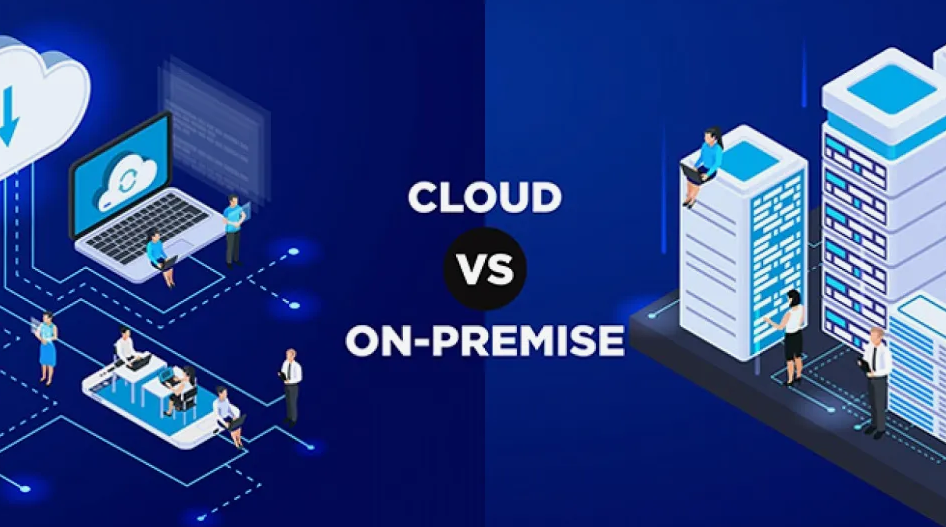

Cloud vs On-Premise Queue Management in the UAE
Deployment models
The same queue system, two very different places to run it
A queue management system does the same work in either model. It issues the ticket, routes the visitor to the right counter, drives the calling displays and records what happened so managers can see where the time went. Choosing between a cloud vs on-premise queue management system does not change any of that. It changes where the software runs, who keeps it running, and how the bill arrives.
For most organisations in the UAE, two questions settle the matter before cost enters the conversation. Does your regulator, or your own internal policy, require visitor and patient records to stay inside infrastructure you control? If yes, on-premise or a hybrid design is the starting point. Do you run branches across several emirates and want one configuration and one reporting view across all of them? If yes, cloud is the starting point. Everything else, setup time, maintenance effort, scaling cost, is a trade you negotiate after those two answers are on the table.
Where the software sits
Cloud puts the application on the vendor's hosted platform and your branches reach it over the network. On-premise puts it on servers inside your own building or data centre.
Who carries the risk
In the cloud the vendor secures the platform and you secure access, roles and retention. On-premise, every layer from the rack to the database is yours, and so is every gap.
How you pay
Cloud converts the system into an operating cost that repeats. On-premise front-loads a capital purchase, then charges you in IT hours and refresh cycles for years afterwards.
Definitions
What each model means in practice
Both models use the same in-branch equipment: ticket kiosks, counter consoles, calling displays, signage screens and feedback devices. The difference starts behind them, at the point where tickets are issued, rules are applied and data is stored. A modern queue management system is normally offered in both forms from the same product line, which matters later if you decide to move.

Cloud queue management
The vendor hosts the application and the database. Branch staff sign in through a browser or a counter app, and head office watches every site from one dashboard. The vendor handles hosting, backups, patching and version upgrades, and bills a subscription based on branches, counters or users.
- No servers to buy, rack, cool or refresh
- One configuration applied across every branch
- Upgrades arrive without an internal project
- New sites go live by configuration, not construction

On-premise queue management
The application runs on servers you own, inside your facility or your own data centre, on your network. Your IT team controls the operating system, the database, the backup policy, the retention period and the timing of every update. Records never leave infrastructure you can point to.
- Visitor and patient data stays inside your perimeter
- Core queueing keeps working when the external link drops
- Deeper integration with internal systems that never face the internet
- Update timing is yours, including the decision to defer
Cloud vs on-premise queue management system: eight factors compared
| Factor | Cloud | On-premise |
|---|---|---|
| Upfront cost | Low. Subscription plus in-branch hardware, no servers or perpetual licences | High. Servers, storage, licences, installation and commissioning per site |
| Ongoing cost | A repeating fee that scales with branches, counters or users | Support contract, IT staff hours, power, spares and a refresh every few years |
| Setup time | Days to a few weeks, since the work is configuration and integration | Weeks to months, since procurement, delivery and installation come first |
| Scalability | A new branch is a new configuration inside the same environment | A new branch usually means new hardware and another installation visit |
| Security and data control | Vendor secures the platform, you control users, roles, retention and exports | You control every layer, which also means you carry responsibility for every layer |
| Maintenance and updates | Vendor patches and upgrades on a published schedule, no internal effort | Your team tests and applies each release, and deferred patches accumulate |
| Reliability | Depends on the vendor's uptime commitment and the quality of your link | Depends on your own hardware, power protection and standby arrangements |
| Internet dependency | Needs a working connection, though many platforms keep ticket issuing running locally through short drops | Core queueing runs on the local network, but notifications and remote reporting still need connectivity |
Read the table as a set of trades rather than a scoreboard. Cloud moves effort and risk to the vendor and charges you for it every month. On-premise keeps effort and risk in-house and charges you once, then keeps charging in staff time. Neither column is the safe choice by default: an unpatched server in a branch cupboard is a bigger exposure than a maintained hosted platform, and a hosted platform with loose user permissions is a bigger exposure than either.
Total cost
What each model actually costs
Most comparisons stop at "cloud is cheaper upfront". The useful exercise is to list every line that will appear on a five-year budget, because several of them appear in both columns and are usually forgotten in both.
Cloud: where the money goes
- Subscription per branch, counter or user
- Onboarding, configuration and workflow design
- Integration work into your existing systems
- Staff and administrator training
- Message traffic for SMS, email and WhatsApp alerts
- Optional modules such as advanced analytics or appointments
On-premise: where the money goes
- Server hardware, storage and operating system licences
- Perpetual application licences, priced by site or counter
- Installation, commissioning and network configuration
- Annual maintenance and support contract
- IT staff hours for patching, backups and monitoring
- Power protection, rack space and cooling
- Backup, standby and disaster recovery arrangements
- Version upgrades and a hardware refresh cycle

Regional factors
What changes the answer in the UAE
The generic comparison holds anywhere. Four local conditions decide how it applies here, and they are the reason two organisations of the same size in Dubai often land on opposite answers.
Data security and residency
Queue and visitor systems collect personal data: names, ID references, mobile numbers, service history, sometimes clinical context. The UAE Personal Data Protection Law sets the baseline, and healthcare and financial services carry further sector rules about where records may sit and who may reach them. Our guide to what UAE PDPL means for booking forms, kiosks and visitor data covers the collection side in detail. Before shortlisting, ask compliance where the data may be hosted. That answer often narrows the field to one column.
Connectivity across sites
Connectivity in the main business districts is not the issue. The variability shows up at industrial-area branches, newly handed-over developments, temporary counters at events and mobile service units. If a cloud queue system is going into sites like these, budget for a second link or a mobile failover, and confirm what the platform does locally while the primary link is down. Reliability in practice is your weakest branch, not your headquarters.
Local support and response times
On-premise assumes somebody can reach the server. Cloud assumes somebody answers when the platform misbehaves. Either way you want a supplier with engineers in the country, support in Arabic and English, and written response and escalation times that follow the UAE working week and adjust for Ramadan hours. A distant vendor with a strong product and a next-week site visit is the wrong trade for a branch network.
Multi-branch and multi-emirate operations
Running counters in Dubai, Abu Dhabi and Sharjah under one service standard is where centralised management earns its cost. One set of service definitions, one calendar for public holidays and Ramadan timings, bilingual displays configured once, and reporting that compares branches instead of describing them one at a time. We have written before about what goes wrong when enterprises scale CX across branches, and most of it starts with each site being configured on its own. Cloud makes central control the default. On-premise can reach the same result, but it has to be designed for it deliberately.
How the decision plays out in four UAE sectors
Hospitals and clinics
Patient records raise the compliance bar immediately, and the queue system rarely stands alone: it has to talk to the hospital information system, usually over HL7, and follow patients through registration, consultation, laboratory and pharmacy. Large facilities commonly keep the queue core on-premise or hybrid and treat availability as clinical infrastructure. Single-site clinics with no in-house IT team usually get more from cloud, provided the hosting arrangement satisfies their data obligations.
Banks and insurers
Branch queueing sits close to core systems and under regulatory attention, so security review drives the design more than cost does. A common outcome is hybrid: ticketing, routing and counter operations stay local for control and latency, while appointment booking, customer notifications and cross-branch analytics run as hosted services. Directory integration with Active Directory or Azure AD matters here, because teller identity should not be a separate list to maintain.
Government service centres
High footfall, wide service catalogues, published service standards and residents who arrive with an appointment reference. Availability during any disruption is a service commitment rather than an operational preference, so on-premise or sovereign hosted arrangements remain common. Where cloud is used, the requirement is usually that the counter keeps issuing and calling tickets while the wider connection is unavailable.
Retail and service counters
Store networks change shape constantly and rarely carry local IT. Demand swings hard around Ramadan, Eid, the shopping festival season and mall promotions, which is exactly the pattern cloud handles well: open the new store, apply the standard configuration, watch it in the same report as the rest. Many UAE retailers pair this with remote check-in, and our note on integrating WhatsApp with queue management covers why that channel took hold locally.
Third option
Hybrid, and why it keeps winning
Hybrid is not a compromise for buyers who cannot decide. It is a deliberate split along the line where the risk actually sits: keep what must stay inside, host what benefits from being outside.
- Local: ticket issuing, counter routing, calling displays, and anything holding identifiable records under a residency requirement.
- Hosted: appointment booking, SMS, email and WhatsApp notifications, cross-branch dashboards, longer-term trend analysis.
- The cost of it: two environments to integrate and monitor, so a hybrid design needs to be planned rather than assembled from whatever each branch already runs.
- The migration case: hybrid is also the practical route out of an ageing on-premise estate, one function at a time, without a single cutover weekend.
Which model fits your organisation
Choose cloud when
- You run several sites, or plan to, and want them configured once
- IT is small, shared or already fully committed
- Budget favours a predictable operating cost over a capital request
- You need branches live in weeks, not after a procurement cycle
- Your data obligations are satisfied by the hosting arrangement on offer
Choose on-premise when
- Records must remain inside infrastructure you control
- The system integrates with internal platforms that never face the internet
- You have IT staff able to patch, back up and monitor it properly
- Service must continue through an external outage, without exception
- Capital budget exists and the site count is stable
Choose hybrid when
- Compliance rules differ across departments or emirates
- You want central reporting without moving core records
- You are migrating away from ageing on-premise hardware in stages
- Digital channels are expanding faster than the branch estate
- Flagship sites need local resilience while smaller sites do not justify it
Growth plans deserve one extra check. The question is not which model suits the branch count you have today, but what happens at three times that number. If the answer to "add ten branches" is a purchase order for ten servers and ten installation visits, that is a real constraint on how quickly the business can move, and it belongs in the evaluation alongside the licence price.
Procurement
What to check before you sign with a provider
Deployment model is one line in a longer evaluation. These are the points that decide whether the choice still looks right in year three.
- Both models offered from one product line
- A documented path between them, in both directions
- Named integration standards: HL7, REST, SOAP
- Directory support: Active Directory, Azure AD, OpenLDAP
- Notification channels: SMS, email, WhatsApp
- Written response and escalation times
- Engineers based in the UAE
- Support and interfaces in Arabic and English
- A clear statement of where hosted data resides
- Retention, export and deletion controls you can operate
- Reporting that compares branches, not just single sites
- Supply of kiosks, displays and spares
- Training for counter staff and branch managers
- Reference installations in your own sector
Vendors who have built their own products tend to answer these directly. Aristostar has developed Queaxis in-house since 2006 and offers it both on-premise and as the hosted Queaxis Qloud and Queaxis Atom options, which is the arrangement worth looking for: the deployment decision stays reversible instead of locking you into a supplier switch later.
Frequently asked questions
What is the difference between a cloud and an on-premise queue management system?
A cloud system runs on the vendor's hosted platform and your branches reach it over the network, paid for by subscription. An on-premise system runs on servers you own inside your own facility, bought with a capital purchase and licences. The features visitors see are usually identical. What differs is who hosts the data, who applies updates, how quickly you can add a site and how the cost is spread over time.
Which is more secure for a UAE bank or hospital?
Either can be secure, and either can be exposed. A maintained hosted platform with proper access controls is usually stronger than a neglected server in a branch cupboard. On-premise wins where a regulator or internal policy requires records to stay inside your own infrastructure, because it makes that easy to demonstrate. Start with what your compliance team requires on data residency and access, then evaluate the platforms that satisfy it.
Does a cloud queue system stop working when the internet goes down?
It depends on how the platform is built. Many cloud queue systems keep issuing and calling tickets at the counter through short interruptions and sync back once the link returns, while remote dashboards and notifications pause. Longer outages are a real operational risk, which is why sites with unreliable connectivity should either add a backup link or keep the queue core local. Ask any shortlisted vendor to describe exactly what continues to function during an outage.
Which is cheaper over five years?
For most organisations cloud comes out lower once server hardware, licences, IT staff hours, power protection, upgrades and a refresh cycle are all counted. On-premise can compete for large, stable estates where the data centre and the IT team already exist and the marginal cost is small. Kiosks, displays, integration work, training and message traffic appear in both budgets, so the deployment decision moves the server-side portion rather than the whole cost.
How long does each take to deploy?
Cloud deployments are measured in days to a few weeks, because the work is configuration, integration and installing the in-branch equipment. On-premise typically runs from several weeks to a few months, since hardware has to be specified, procured, delivered, installed and commissioned before configuration begins. Multi-site rollouts extend both timelines, and integration into an existing hospital or core banking system is usually the longest item in either plan.
Can we start with one model and move to the other later?
Yes, if you choose a vendor that supports both from the same product line and can state how records move between them. Migrations usually run in stages: hosted notifications and reporting first, then appointments, then the queue core. The time to secure this is during procurement, by asking for the migration path in writing. Retro-fitting it later often means changing supplier.
What should a UAE business ask a provider before signing?
Where hosted data physically resides, whether support engineers are based in the country, what the written response and escalation times are, whether Arabic and English are supported across interfaces and displays, which integration standards are available for your existing systems, and what happens at a counter during a network outage. Ask for reference installations in your own sector, and confirm who supplies and maintains the kiosks and displays.
Keep reading
Still running tokens and a wall display?
If the deployment question came up because the current setup is straining, the underlying problem is often the queueing model rather than where the server sits. Our guide on why traditional token systems struggle with modern service needs covers what changes when visitors expect to wait somewhere other than a chair in your lobby.


Related Blogs

Beyond the Waiting Room: Improving the Inpatient Experience During a Hospital Stay
.jpg)
What Enterprises Get Wrong When Scaling CX Across Branches
Many enterprises face hurdles when scaling CX across locations. This blog breaks down common mistakes across branches and shares practical ways to deliver consistent customer experiences.

Reducing Government-Office Congestion Through Smarter Digital Appointments
Digital appointments, virtual receptions, and automated processes reduce UAE government-office congestion by simplifying procedures and enabling efficient remote interactions for citizens.